Solution Builders team
Jump to a section
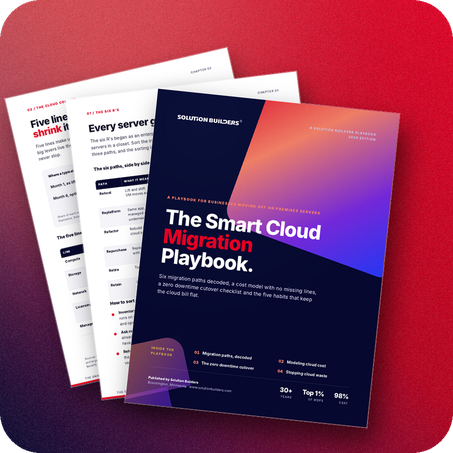
- Every server gets one of six verdicts: rehost, replatform, refactor, repurchase, retire or retain. Sort the inventory before anyone designs anything.
- Lift and shift buys time. Replatforming buys savings. Rehost on the deadline, then right size, reserve and move the data within 90 days.
- Two complete columns or no comparison: count the refresh, licenses and people on premises, and egress, backup and licensing in the cloud.
- Zero downtime is a pilot, a parallel run and a rehearsed rollback, done in daylight weeks before the Friday switch.
Why Twin Cities companies are buying their last server
The server in the closet is five years old, the warranty ran out last spring, and the quote for its replacement just landed. Ten years ago that quote got signed without a meeting. Today it starts one, because the same money could move the workload to Azure and never buy another box. Companies with 25 to 500 people across Minneapolis, St. Paul and the rest of Minnesota are asking the same question, and the deadlines are real: extended support for Windows Server 2016 ends in January 2027, which is the date behind many of the moves we are planning right now. Cloud migration services in Minneapolis are busy for a reason.
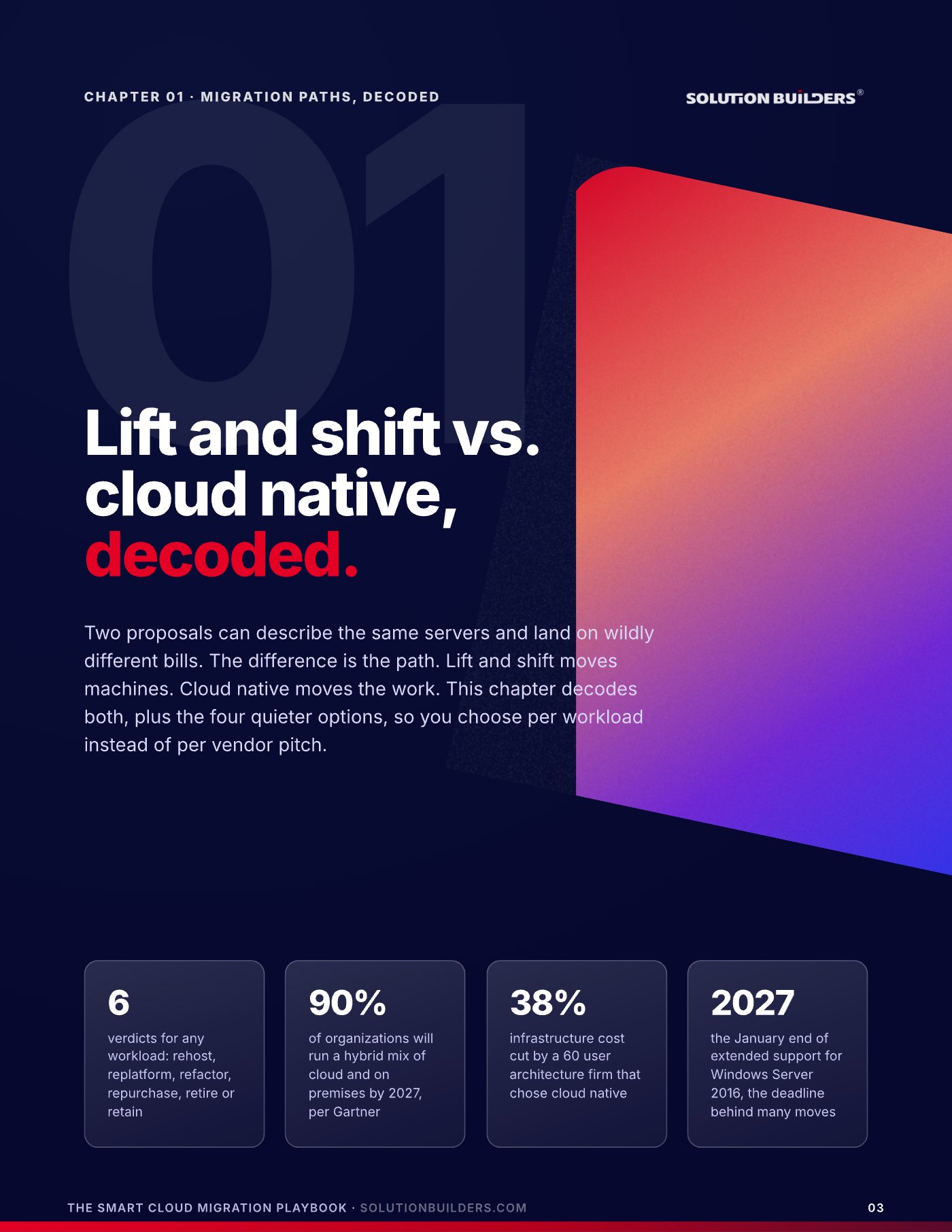
Two proposals can describe the same servers and land on wildly different bills. The difference is the path. Lift and shift moves machines. Cloud native moves the work. And the 15% budget overrun Flexera keeps measuring is almost never a cloud problem. It is an estimating problem: the on premises column forgot the next refresh and the people who keep the gear alive, and the cloud column forgot egress, backup and licensing. This article fills in both columns, decodes the six paths, lays out the cutover that makes Monday boring and ends with the five habits that keep the bill flat. It is how the cloud migration team at Solution Builders runs every move, and it starts with the questions leaders ask when growth hits limits.
Every server gets one of six verdicts
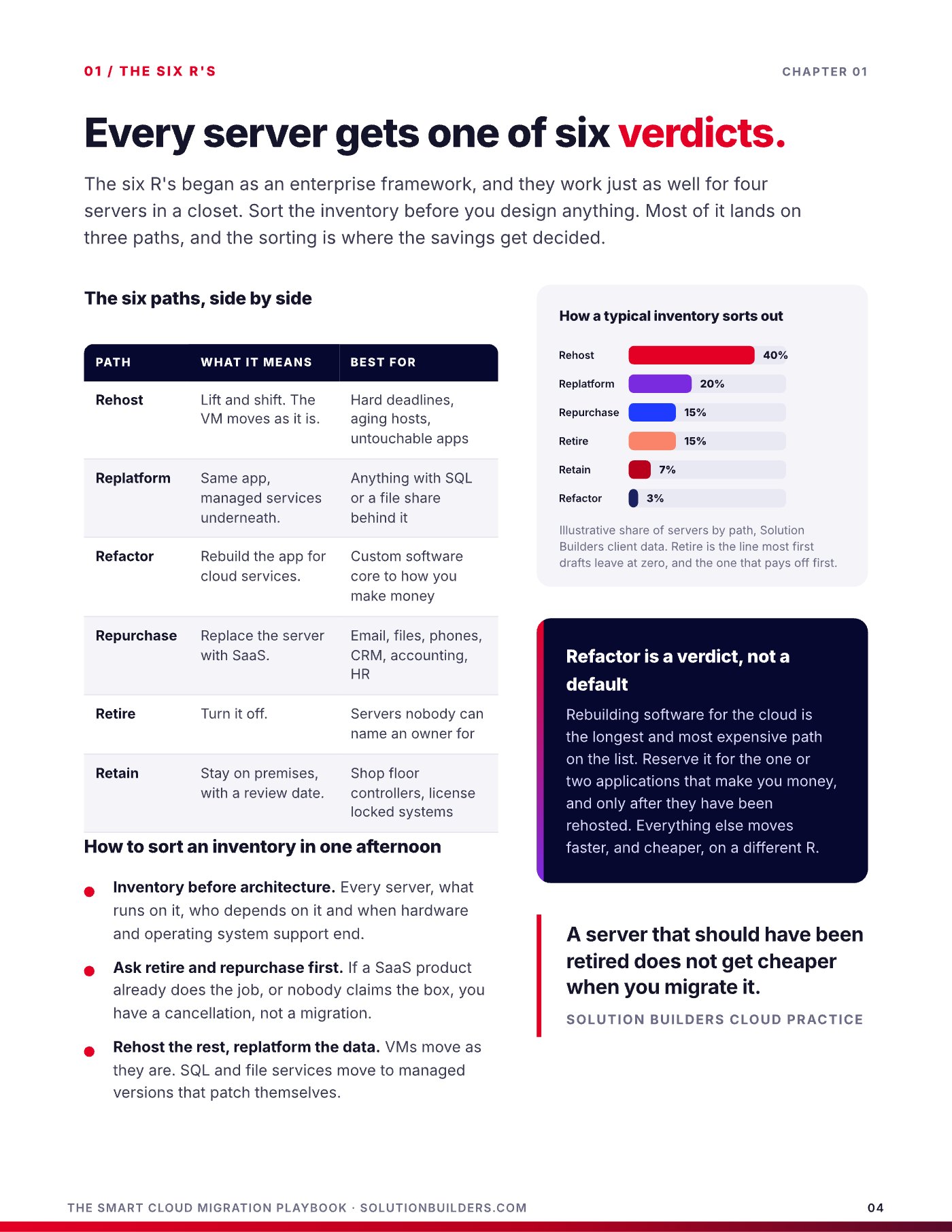
The six R's began as an enterprise framework, and they work just as well for four servers in a closet off I-494. Sort the inventory before you design anything. Most of it lands on three paths, and the sorting is where the savings get decided. Inventory first: every server, what runs on it, who depends on it and when hardware and operating system support end. Then ask retire and repurchase before anything else. If a SaaS product already does the job, or nobody claims the box, you have a cancellation, not a migration.
| Path | What it means | Best for |
|---|---|---|
| Rehost | Lift and shift. The VM moves as it is. | Hard deadlines, aging hosts, untouchable apps |
| Replatform | Same app, managed services underneath. | Anything with SQL or a file share behind it |
| Refactor | Rebuild the app for cloud services. | Custom software core to how you make money |
| Repurchase | Replace the server with SaaS. | Email, files, phones, CRM, accounting, HR |
| Retire | Turn it off. | Servers nobody can name an owner for |
| Retain | Stay on premises, with a review date. | Shop floor controllers, license locked systems |
In Solution Builders client data a typical inventory sorts out to roughly 40% rehost, 20% replatform, 15% repurchase, 15% retire, a few percent retain and a few percent refactor. Retire is the line most first drafts leave at zero, and the one that pays off first. Refactor is the longest and most expensive path on the list. Reserve it for the one or two applications that make you money, and only after they have been rehosted. Everything else moves faster, and cheaper, on a different R.
A server that should have been retired does not get cheaper when you migrate it.Solution Builders Cloud Practice
Lift and shift vs replatform: one buys time, the other buys savings
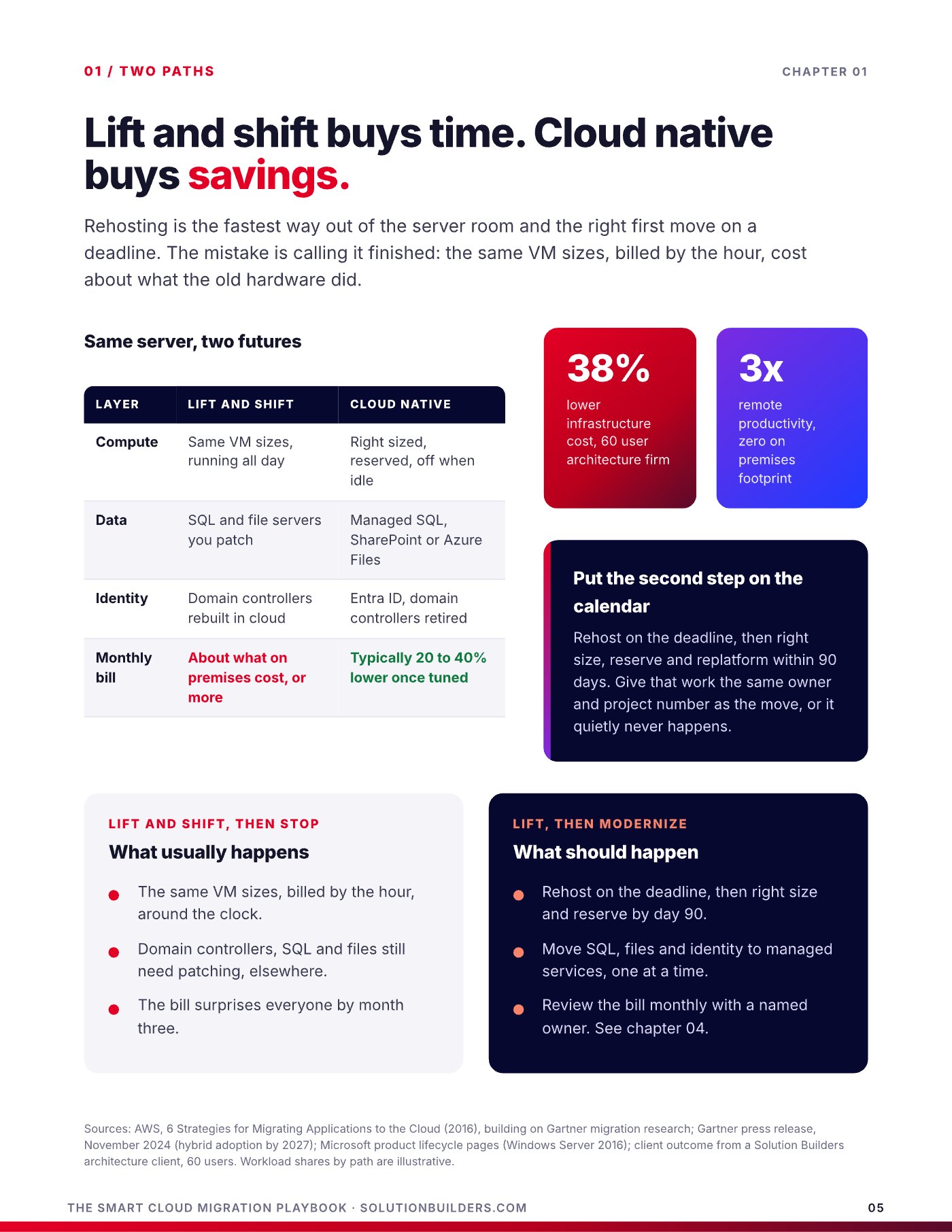
Rehosting is the fastest way out of the server room and the right first move on a deadline. The mistake is calling it finished. The same VM sizes, billed by the hour around the clock, cost about what the old hardware did, and the domain controllers, SQL and file servers still need patching, just somewhere else. The bill surprises everyone by month three. Replatforming is the second step: the same application, with managed SQL, SharePoint or Azure Files underneath and Entra ID in place of domain controllers. Once tuned, the monthly bill typically lands 20 to 40% lower than the lifted version.
What usually happens
- The same VM sizes, billed by the hour, around the clock
- Domain controllers, SQL and files still need patching, elsewhere
- The bill surprises everyone by month three
What should happen
- Rehost on the deadline, then right size and reserve by day 90
- Move SQL, files and identity to managed services, one at a time
- Review the bill monthly with a named owner
The best example in our own files is an Azure migration for a Minnesota architecture firm with 60 users across several locations. They chose cloud native, retired every on premises server, cut infrastructure cost 38% and tripled remote productivity. The firm that lifts and stops gets none of that. The firm that lifts and then modernizes gets all of it, a quarter later.
Rehost on the deadline, modernize within 90 days
Give the right-sizing, reservation and replatform work the same owner and the same project number as the move itself. If it is a separate project with a separate budget, it quietly never happens, and you have paid cloud prices for a server room.
A cloud migration cost model with no missing lines
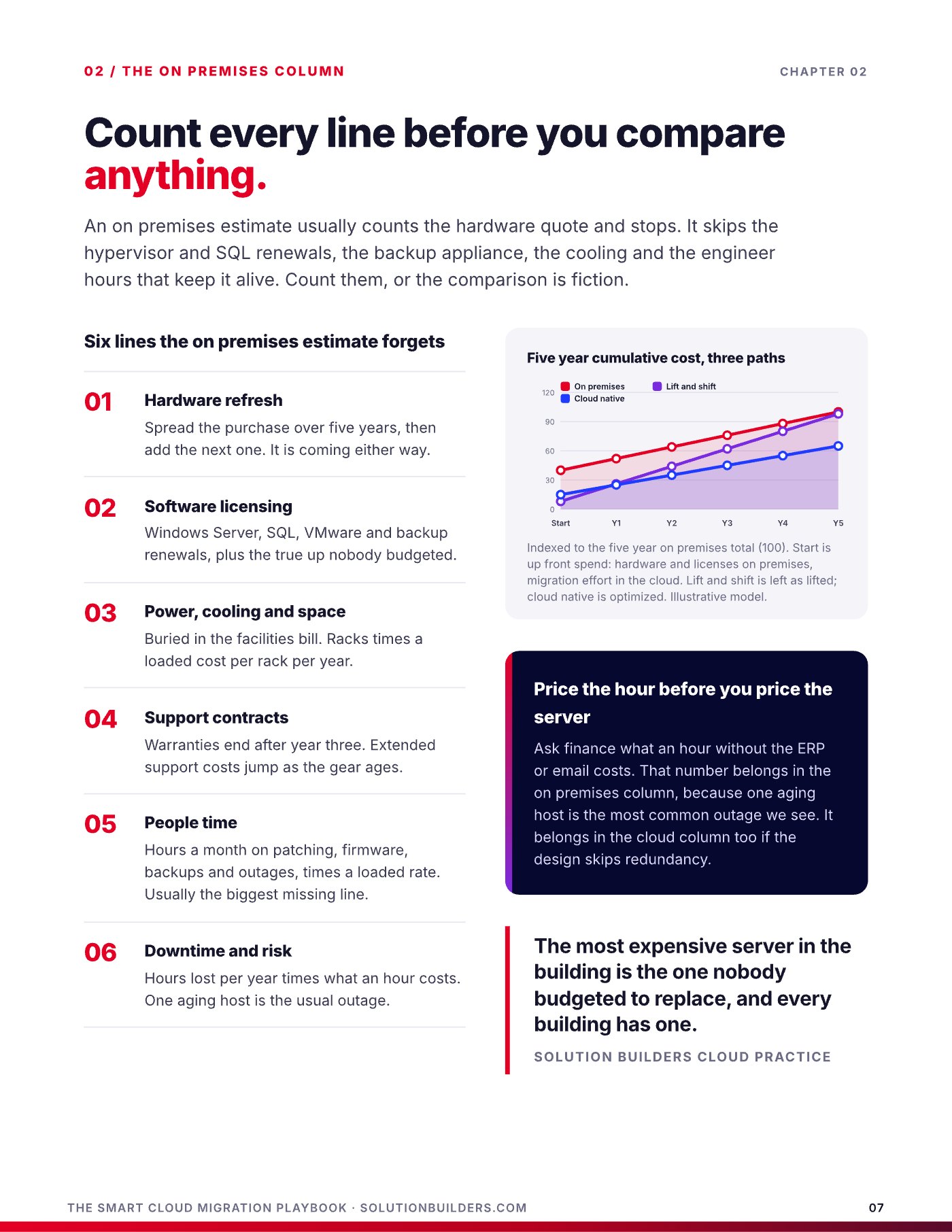
An on premises estimate usually counts the hardware quote and stops. A fair comparison covers five years, one full refresh cycle, in both columns. These are the six lines the on premises column forgets.
- Hardware refresh. Spread the purchase over five years, then add the next one. It is coming either way.
- Software licensing. Windows Server, SQL, VMware and backup renewals, plus the true up nobody budgeted.
- Power, cooling and space. Buried in the facilities bill. Racks times a loaded cost per rack per year.
- Support contracts. Warranties end after year three. Extended support costs jump as the gear ages.
- People time. Hours a month on patching, firmware, backups and outages, times a loaded rate. Usually the biggest missing line.
- Downtime and risk. Hours lost per year times what an hour costs. One aging host is the usual outage.
Ask finance what an hour without the ERP or email costs before you price a single server. The ITIC 2024 Hourly Cost of Downtime Survey found more than 90% of midsize and large enterprises put that hour above $300,000. The cloud column has five lines, and the two levers that matter most both live on the first one.
| Line | What it is | The lever |
|---|---|---|
| Compute | VMs, billed while they run | Right-size and reserve |
| Storage | Disks, backups, snapshots | Tier by age, delete orphans |
| Network | Outbound data, called egress | Keep chatty apps together |
| Licensing | Windows and SQL licenses | Azure Hybrid Benefit |
| Management | Monitoring, backup, logs | Trim log retention |
On one Windows server, published Azure pricing tells the story: right-sizing roughly halves the as lifted cost, a three year reservation takes compute savings up to 72% off pay as you go, and Azure Hybrid Benefit on top brings the total to a fraction of the lifted price. Reserve the boring servers, the domain controllers, the ERP host and the file service that run every hour of every year, on day 90 once right-sizing has settled. Keep the experiments on pay as you go.
The zero downtime cutover: do the risky parts early and in daylight
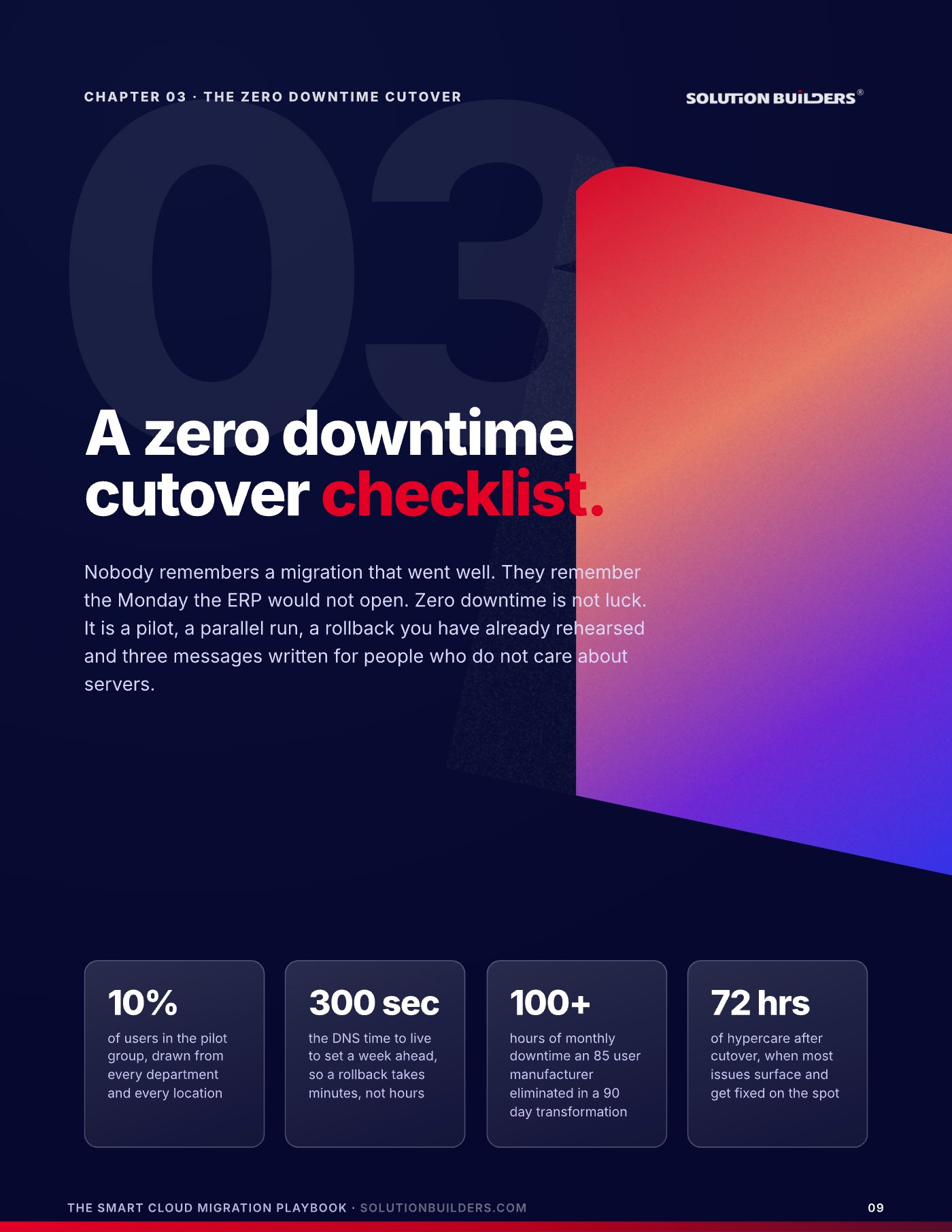
Nobody remembers a migration that went well. They remember the Monday the ERP would not open. Downtime happens when a server to cloud migration in the Twin Cities does everything in one night. The plan below moves identity, data and a pilot group weeks ahead while the old system keeps running, so by cutover weekend the surprises are used up. An 85 user manufacturer we took through a full transformation this way eliminated more than 100 hours of monthly downtime within 90 days.
- Weeks 1 to 2: discover and designInventory, dependencies, the six R sort, landing zone design. Nothing moves.
- Weeks 3 to 4: build and seedLanding zone, network, identity synced to Entra ID. Data starts replicating quietly.
- Week 5: pilotTen percent of users, drawn from every department and every location, a full week in the cloud.
- Week 6: parallel runBoth environments live. Rollback rehearsed, timed and written down.
- Week 7: cutover and hypercareThursday noon freeze. Friday switch. Saturday test gate with a named tester per system. Sunday 2 p.m. go or roll back. Monday 7 a.m., engineers on site and 72 hours of hypercare.
Servers rarely cause the Monday disaster. Logins, name resolution and the lack of a way back do.
| What breaks | Why | The early fix |
|---|---|---|
| Nobody can log in | Identity moved with the servers | Sync identity weeks ahead |
| Users hit the old server | DNS cached for hours | Time to live to 300 seconds |
| The ERP opens, then crawls | App in cloud, database on premises | Move app and database together |
| Scanners and printers stop | Hard coded paths to the old server | Repoint scan jobs in the pilot |
| Rollback is "we will see" | Never written down or timed | Rehearse it, print the decision time |
Two more lines belong on the readiness list two weeks out. A full backup taken and restored somewhere else, with the restore time written down, which is the drill our backup and disaster recovery team runs. And Microsoft 365, identity and line of business apps moved together, because a half moved environment is slower than either whole one.
Five habits that keep the cloud bill flat
Cloud waste is not a billing error. It is a thousand small defaults: the test server nobody turned off, the disk left behind when its VM was deleted, backups parked in premium storage forever. Flexera's 2024 State of the Cloud Report found that the companies paying the bill estimate 27% of their own cloud spend is wasted. Waste looks exactly like infrastructure on the invoice, so nobody questions it. Five habits, one owner and twenty minutes a month stop it. They are ordered by payoff.
- Tag everything from day one: owner, cost center, environment, expiry. Policy blocks anything untagged from being created.
- Set budgets with alerts at 80%, one per cost center and one per environment. At 100% an alert is a receipt.
- Right size quarterly. Anything under 20% busy for 30 days drops a size at the next maintenance window.
- Tier storage automatically. Lifecycle rules move data from hot to cool at 30 days and to archive at 180. The price gap per gigabyte between hot and archive tiers is 10x or more.
- Schedule the shutdowns. Dev, test and reporting servers run business hours only. 50 of 168 hours is a 70% cut, and it is arithmetic.
One rule, more savings than any tool
Every resource gets three tags at creation: owner, cost center and expiry date. Anything untagged lands on a Monday report and is deleted after a 30 day grace period. Give the bill to someone outside engineering, a controller, an operations lead or a virtual CIO, because engineers optimize what they are asked about.
The 20 minute monthly review is five checks: the top ten resources by cost for anything new or unexplained, utilization under 20% for right-sizing candidates, unattached disks and old snapshots to delete, budget alerts that fired, and steady workloads still on pay as you go. Done monthly, that review catches most waste while it is still small, and it keeps the bill flat while the business grows.
What to do this week
Three moves, in order, and the first two need nothing but a spreadsheet.
- Sort the inventoryList every server with what runs on it, who owns it and when support ends. Give each one a verdict from the six R's. Count how many you can retire or repurchase before anything migrates.
- Build both columnsFive years, one refresh cycle, all six forgotten lines on premises and all five lines in the cloud. Put the cost of a downtime hour in both. Then compare.
- Get an outside readA Cloud Readiness Snapshot with Solution Builders is a free 30 minute conversation about your servers, deadlines and goals. You leave with a first cut at which path each workload deserves. Book a time or call (952) 854 8188.
The habits start on migration day, not after the first surprising invoice. A move planned this way ends in a smaller bill, a boring Monday and a cloud foundation that is ready for Copilot and the AI tools your team will ask for next, which is the E in the RISE framework we build every migration around.
Cloud migration for growing companies across the Twin Cities
Solution Builders has run infrastructure for Minnesota businesses from Bloomington since 1995. Our cloud practice, 50+ engineers and 24/7 security operations center move companies with 25 to 500 people in Minneapolis, St. Paul and across the metro off aging servers, from manufacturers along I-494 to architecture firms with offices in several cities. Related services: Cloud Migration, Microsoft 365, Data Backup and Disaster Recovery, IT Consulting. Contact us or book a 30 minute call.