

Microsoft 365, migrated seamlessly.
Moving to Microsoft 365 should be invisible to your team and airtight on security. We migrate email, files, and identity with zero downtime, then configure it the way it should have been from day one.
A migration your team barely notices.
Botched Microsoft 365 migrations lose email, break shared files, and leave security wide open. Too many businesses end up on Microsoft 365 (M365) with default settings and a tenant, the cloud environment that holds all of your company's accounts and data, that nobody hardened. Solution Builders plans the cutover carefully, moves your data without disruption, and configures security, identity, and backups properly, so you get the full value of Microsoft 365, not just the logo.
- Email, files, and identity moved with zero downtime
- MFA and conditional access configured from the start
- SharePoint, Teams, and OneDrive set up right
- Unlimited retention Microsoft 365 backups
A default Microsoft 365 tenant is an exposed one.
Out of the box, Microsoft 365 leaves critical security controls off and does not fully back up your data. Most breaches of M365 trace back to configuration, not the platform itself. A properly architected tenant, hardened identity, conditional access, and real backups, turns Microsoft 365 from a liability into a secure, productive foundation.

“Email, files, and identity can be migrated to Microsoft 365 with zero downtime for your users.”MIGRATION STANDARD
From legacy mail to secured M365.
We move you off legacy email and file systems into a properly designed, secured Microsoft 365 tenant, without your users losing a beat.
Careful planning · Zero downtime cutover · Hardened security · Built in backups
A modern workplace, configured correctly.
Backed up and recoverable, with no single point of failure.
Mail, files, Teams, and identity working as one connected workplace.
MFA, conditional access, and proper permissions from day one.
A foundation ready for Copilot, automation, and what comes next.

From legacy to modern.
We migrate mail, calendars and files to Microsoft 365 with no downtime, using a pilot group and a weekend cutover, then retire the old server for good.
Your tenant, the cloud environment that holds your company's accounts and data, is hardened from day one: multifactor authentication, conditional access, legacy protocols off and sharing locked down.
A designed SharePoint and Teams structure with sensitivity labels and a naming convention replaces years of scattered folders and "everyone" links.
Microsoft keeps the service running, not your data. An independent, tamper proof backup of mail, OneDrive, SharePoint and Teams covers deletion, ransomware and retention gaps.

Solution Builders moved us to Microsoft 365 over a weekend and Monday morning everything just worked, email, files, Teams. They also locked it down with MFA and conditional access. We finally feel secure.OFFICE MANAGER, ARCHITECTURE FIRM
Live on M365 in weeks.
A typical Microsoft 365 migration and hardening completes in about five weeks with zero user downtime.

Inventory mail, files, and identities to migrate.

Architect the tenant, security, and licensing.

Move mail, files, and identity with zero downtime.

Enforce MFA, conditional access, and backups.

User training and post migration optimization.
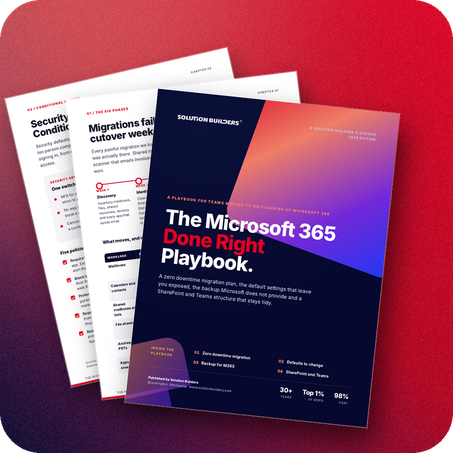
The Microsoft 365 Done Right Playbook.
How to migrate to Microsoft 365 with zero downtime and configure it so it's actually secure.
- A zero downtime migration checklist
- The default settings you must change
- Why M365 needs its own backup
- Setting up SharePoint and Teams properly
Microsoft 365 migration, explained.
Straight answers to what leaders ask us most.
Get Microsoft 365 done right.
Book a no pressure call with our team. We'll review your current setup and map a zero downtime path to a secure Microsoft 365.
- Free, no obligation consultation
- Straight answers from a real engineer
- We respond within one business day
Talk with Our Team
Tell us where your email lives today, we'll take it from there.
Your information is kept private and never shared
A member of our team will reach out within one business day.