Solution Builders team
Jump to a section
- A tenant set up in an afternoon keeps those defaults for a decade. Eight settings, most under an hour each, close the doors attackers test.
- Zero downtime migration is six phases with exit criteria, a pilot that includes a skeptic and a Friday night cutover with a rollback plan.
- Security defaults are the floor. Conditional access is the plan: MFA for everyone, legacy authentication blocked, admins protected harder, healthy devices required.
- Microsoft says in writing that your data is your problem. Recycle bins are measured in days, so Microsoft 365 needs its own backup.
Why your Microsoft 365 tenant still runs on an afternoon of defaults
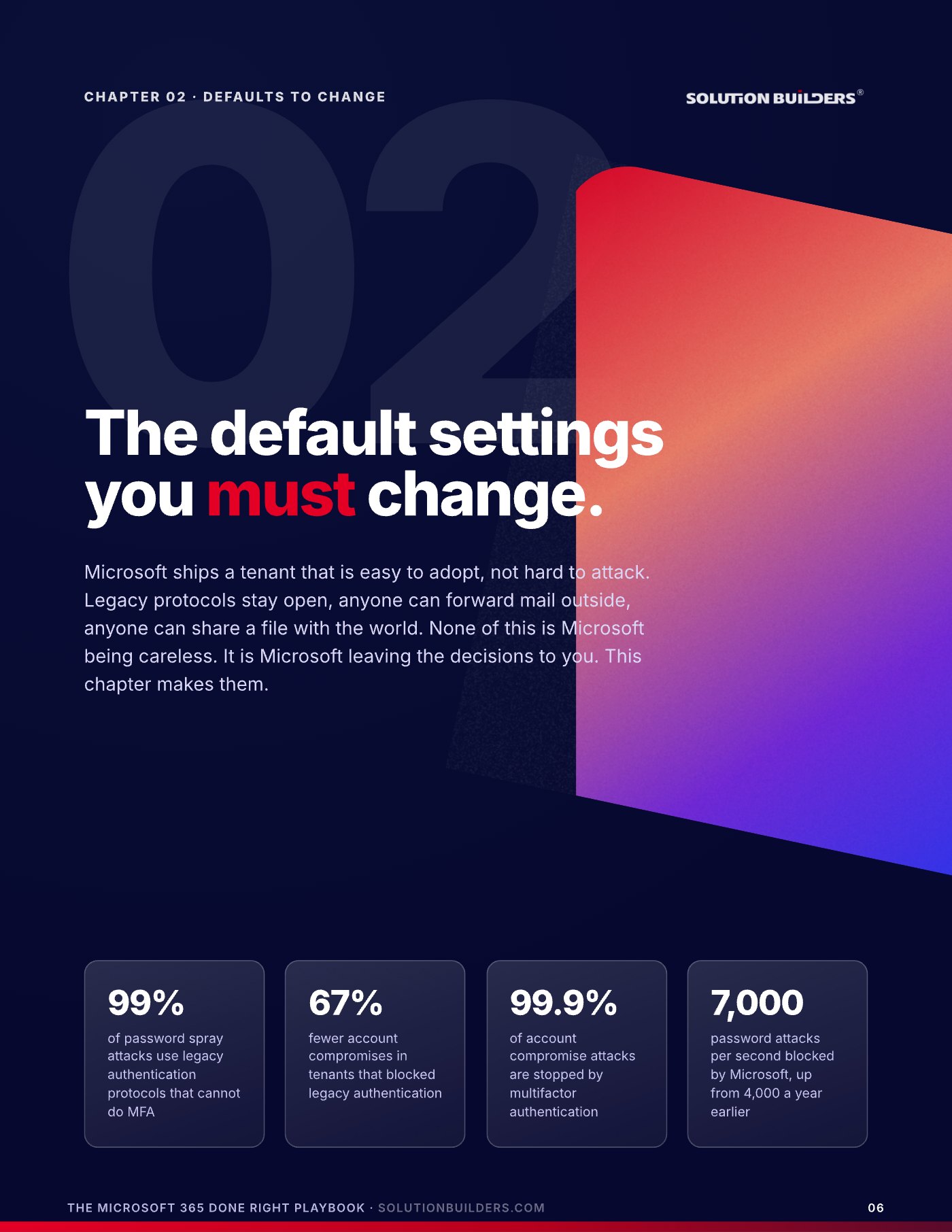
Most Microsoft 365 tenants in the Twin Cities were set up in an afternoon. Someone created the accounts, pointed the mail at Exchange Online and got back to running the business. That afternoon of defaults is still in charge five or ten years later: legacy protocols open, anyone able to forward mail outside the company, anyone able to share a file with the world. None of that is Microsoft being careless. Microsoft ships a tenant that is easy to adopt, not hard to attack, and leaves the decisions to you. A Microsoft 365 consultant in Minneapolis spends most of a first visit making decisions nobody knew were waiting.
Those are Microsoft's own numbers, and the one that matters most is the first. Microsoft reported in 2020 that tenants which blocked legacy authentication saw 67% fewer account compromises. The fix is a checkbox. Here is the encouraging part: most of the work in this article takes under an hour per item and uses licenses you already pay for. It covers the four jobs that turn a tenant from "it works" into "it is finished": a migration nobody notices on Monday, the settings to change this week, the backup Microsoft does not provide, and a SharePoint and Teams structure that still makes sense in year five. It is the sequence our Microsoft 365 team in Bloomington runs for companies across Minnesota.
A zero downtime Microsoft 365 migration in Minnesota takes six phases
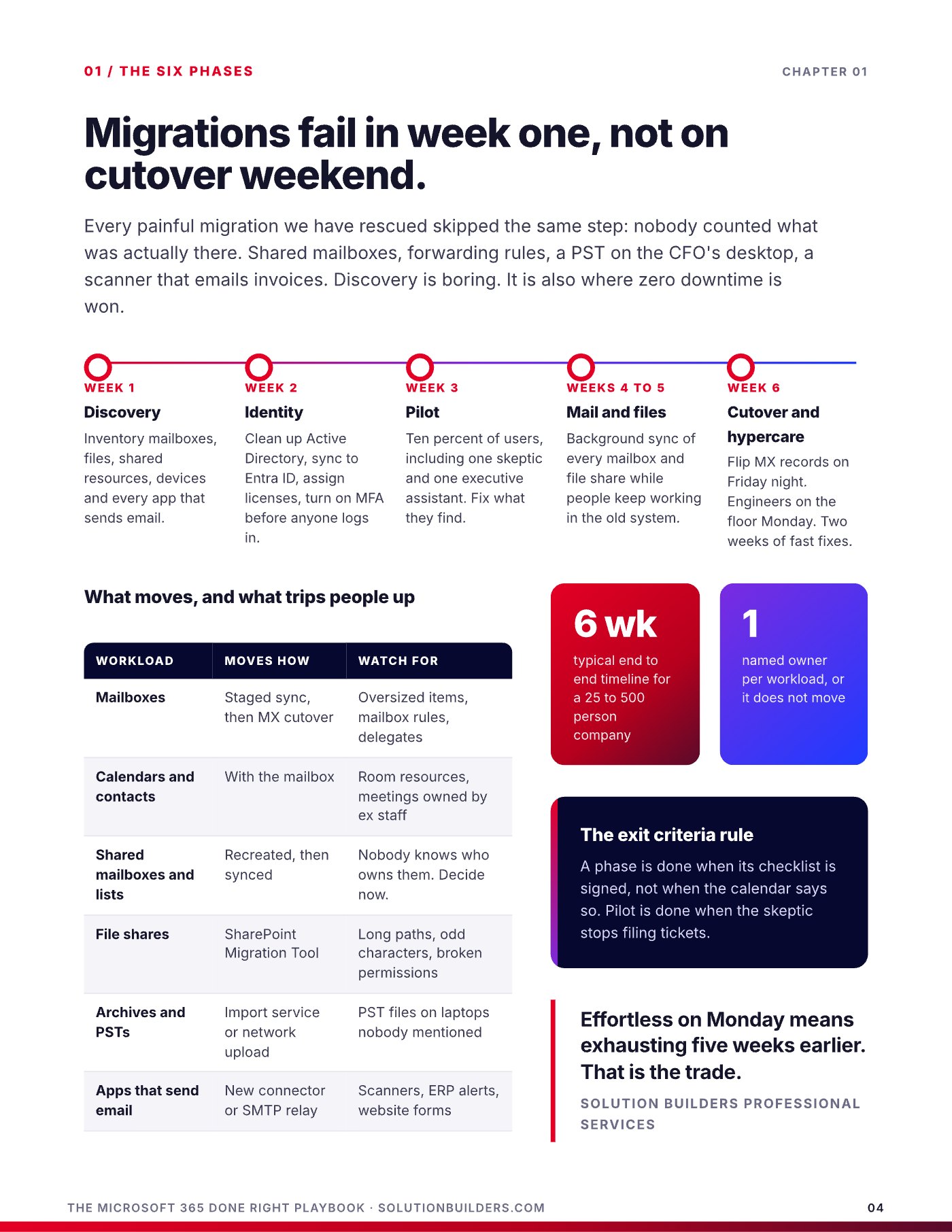
Nobody remembers a migration that went well. They remember the Monday the calendars were empty. Zero downtime is not luck, and it is not a feature you buy from a migration tool. It is six phases run in order, with a pilot that fails in private before anything can fail in public. Every painful migration we have rescued in Minneapolis or St. Paul skipped the same step: nobody counted what was actually there. Shared mailboxes, forwarding rules, a PST on the CFO's desktop, the scanner that emails invoices. Discovery is boring. It is also where zero downtime is won.
- Week 1: discoveryInventory mailboxes, file shares, shared resources, devices and every app that sends email. Give each workload a named owner, or it does not move.
- Week 2: identityClean up Active Directory, sync to Entra ID, assign licenses and turn on multifactor authentication before anyone logs in for the first time.
- Week 3: pilotTen percent of users, including one skeptic and one executive assistant. Fix what they find. The pilot is done when the skeptic stops filing tickets.
- Weeks 4 to 5: mail and filesBackground sync of every mailbox and file share while people keep working in the old system. Nobody notices this phase, which is the point.
- Week 6: cutover and hypercareFlip MX records on Friday night. Engineers on the floor Monday. Two weeks of fast fixes while migration tickets still get read every day.
Six weeks is the typical end to end timeline for a company with 25 to 500 people. The things that trip people up are predictable: oversized mailbox items, room calendars owned by former staff, file paths too long for SharePoint, and the scanner or ERP that still needs a way to send email. A phase is done when its checklist is signed, not when the calendar says so.
Effortless on Monday means exhausting five weeks earlier. That is the trade.Solution Builders Professional Services
Cutover weekend: nobody should notice on Monday
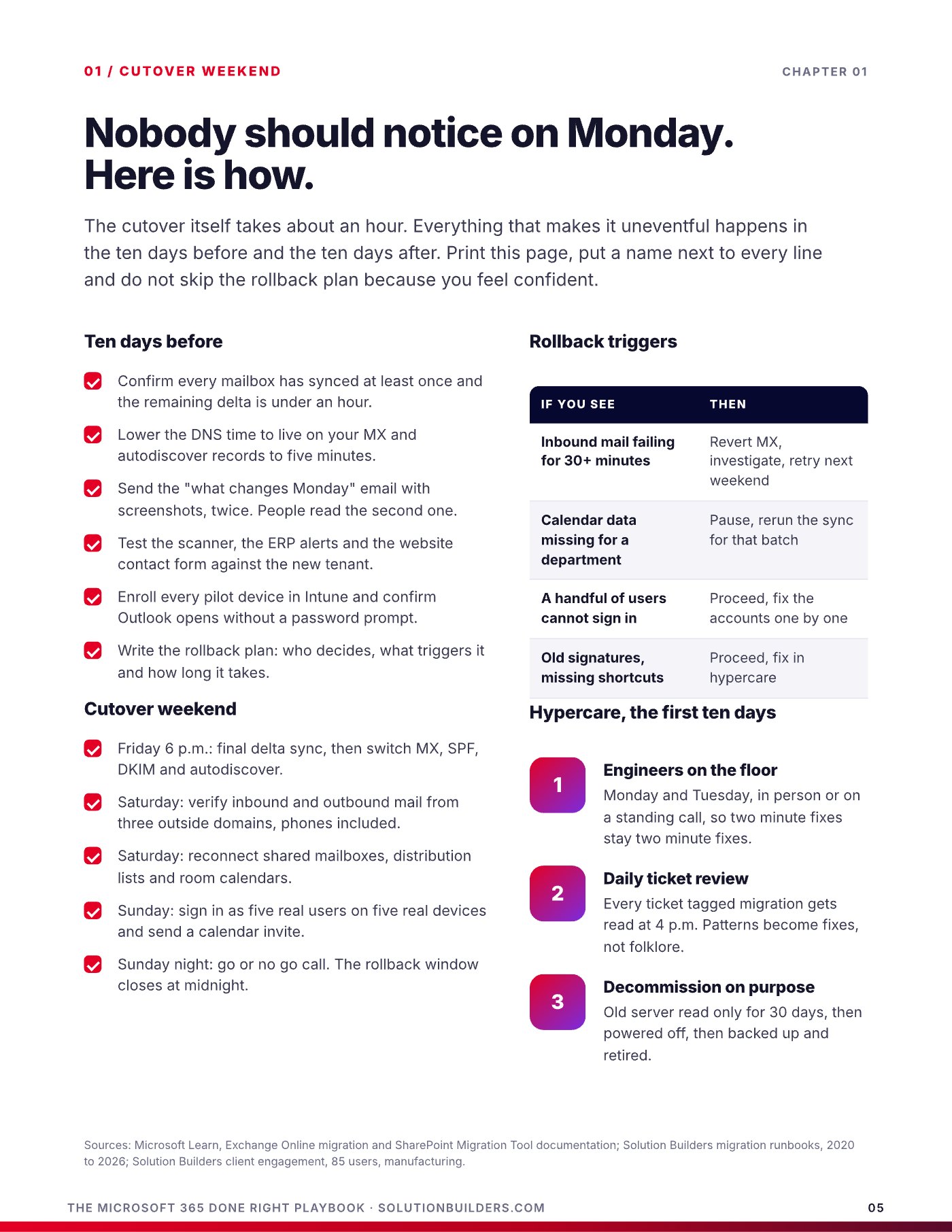
The cutover itself takes about an hour. Everything that makes it uneventful happens in the ten days before and the ten days after. Put a name next to every line, and do not skip the rollback plan because you feel confident. Confidence is what the rollback plan is for.
- Ten days out: confirm every mailbox has synced once and the remaining delta is under an hour.
- Lower the DNS time to live on MX and autodiscover records to five minutes.
- Send the "what changes Monday" email with screenshots, twice. People read the second one.
- Test the scanner, the ERP alerts and the website contact form against the new tenant.
- Write the rollback plan: who decides, what triggers it and how long it takes.
- Friday 6 p.m.: final delta sync, then switch MX, SPF, DKIM and autodiscover.
- Saturday: verify mail from three outside domains, phones included. Reconnect shared mailboxes and room calendars.
- Sunday: sign in as five real users on five real devices. Go or no go call that night, rollback window closes at midnight.
| If you see | Call | Then |
|---|---|---|
| Inbound mail failing for 30+ minutes | Roll back | Revert MX, investigate, retry next weekend |
| Calendar data missing for a department | Pause | Rerun the sync for that batch before deciding |
| A handful of users cannot sign in | Proceed | Fix the accounts one by one on Monday |
| Old signatures, missing shortcuts | Proceed | Fix in hypercare. Nobody rolls back for a signature |
Hypercare means engineers on the floor Monday and Tuesday so two minute fixes stay two minute fixes, a 4 p.m. review of every ticket tagged migration so patterns become fixes instead of folklore, and an old server kept read only for 30 days before it is powered off, backed up and retired.
The tenant hardening checklist a Microsoft 365 consultant in Minneapolis runs first
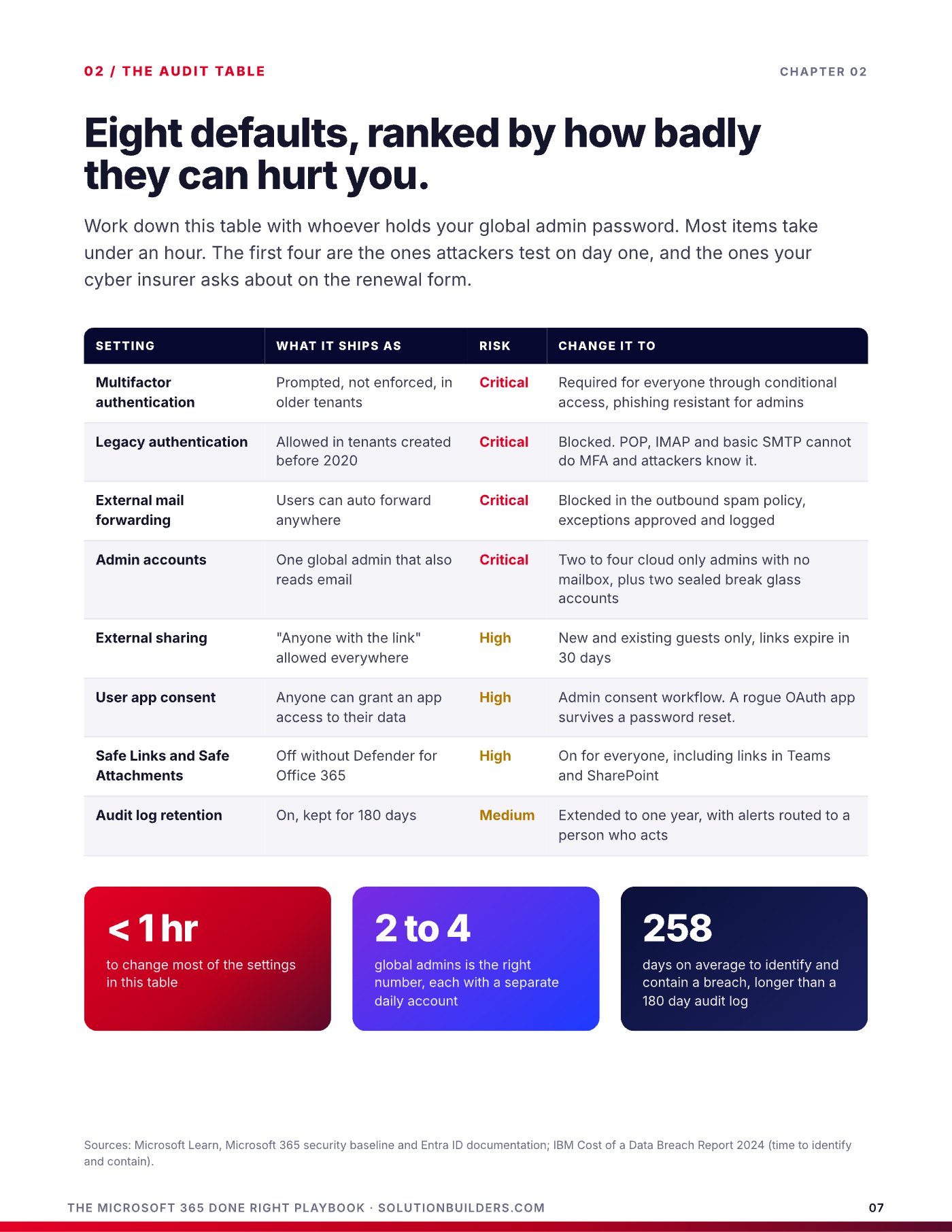
Whether you migrated last month or in 2016, this is the one hour audit. Work down the table with whoever holds your global admin password. The first four rows are the settings attackers test on day one, and the ones your cyber insurer asks about at renewal.
| Setting | What it ships as | Risk | Change it to |
|---|---|---|---|
| Multifactor authentication | Prompted, not enforced, in older tenants | Critical | Required for everyone, phishing resistant for admins |
| Legacy authentication | Allowed in tenants created before 2020 | Critical | Blocked. POP, IMAP and basic SMTP cannot do MFA |
| External mail forwarding | Users can auto forward anywhere | Critical | Blocked in the outbound spam policy, exceptions logged |
| Admin accounts | One global admin that also reads email | Critical | Two to four cloud only admins, two sealed break glass accounts |
| External sharing | "Anyone with the link" allowed everywhere | High | New and existing guests only, links expire in 30 days |
| User app consent | Anyone can grant an app access to their data | High | Admin consent workflow. A rogue app survives a password reset |
| Safe Links and Safe Attachments | Off without Defender for Office 365 | High | On for everyone, including links in Teams and SharePoint |
One more that rarely makes the list: audit log retention ships at 180 days, shorter than the 258 day average time to identify and contain a breach in IBM's Cost of a Data Breach Report 2024. Extend it to a year.
Security defaults are the floor, conditional access is the plan
Security defaults, the single switch that turns on MFA and blocks legacy authentication, may be enough for a ten person company. Past that you need conditional access, rules that look at who is signing in, from what device and from where: MFA for everyone and phishing resistant for admins, Microsoft 365 only from compliant or company owned devices, sign ins blocked from countries you do not operate in. Run every new policy in report only mode for a week, enforce for IT and ten volunteers, then roll out by department. Our cybersecurity team in the Twin Cities runs this tenant hardening checklist against every tenant it takes on.
Why Microsoft 365 needs its own backup
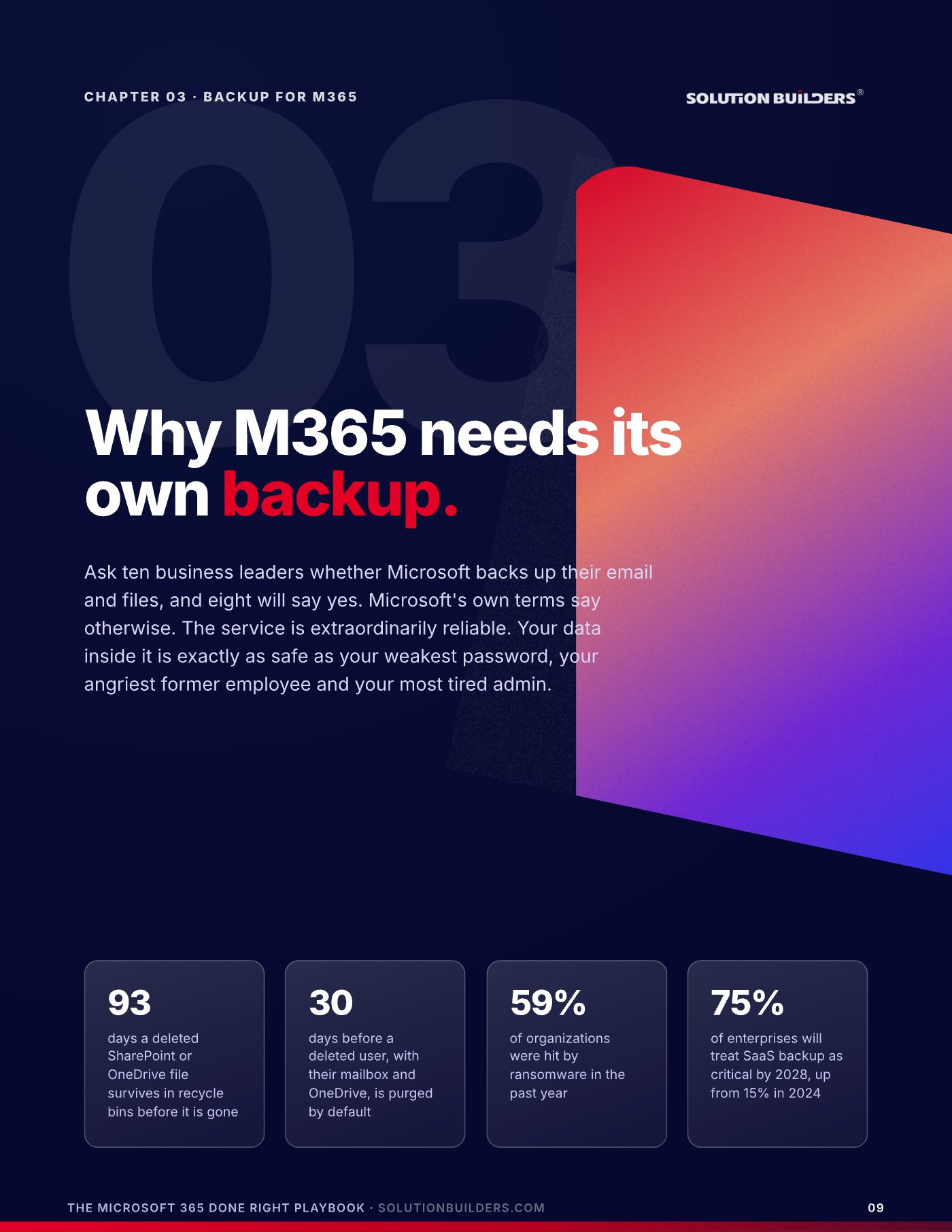
Ask ten business owners in Bloomington whether Microsoft backs up their email and files, and eight will say yes. Microsoft's own terms say otherwise. The Microsoft Services Agreement puts it plainly in section 6b: "We recommend that you regularly backup your content and data that you store on the services." Microsoft owns uptime, platform security and replication against hardware failure. You own your data, who can reach it and getting it back. The built in safety nets are real, but they are measured in days.
| Item | Default window | Then |
|---|---|---|
| Deleted email | 14 days, 30 at most | Gone |
| Deleted user and mailbox | 30 days | Gone, OneDrive included |
| Deleted file in OneDrive or SharePoint | 93 days, two recycle bins | Gone |
| Deleted team or group | 30 days | Gone, site and chats too |
| Retention policy | As long as you set | Holds items, cannot restore a site |
Sophos found in its State of Ransomware 2024 survey that 59% of organizations were hit by ransomware in the past year, and Gartner expects 75% of enterprises to treat SaaS backup as critical by 2028, up from 15% in 2024. The reason is the one most people miss about retention.
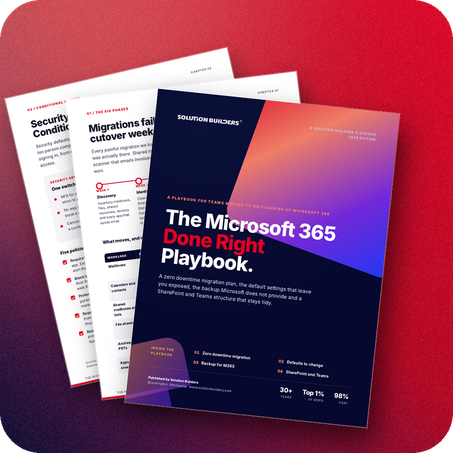
Retention keeps copies inside the same tenant, under the admin accounts an attacker just took over. Backup lives somewhere else, under different credentials, and can put a whole site back the way it was on Tuesday.The Microsoft 365 Done Right Playbook
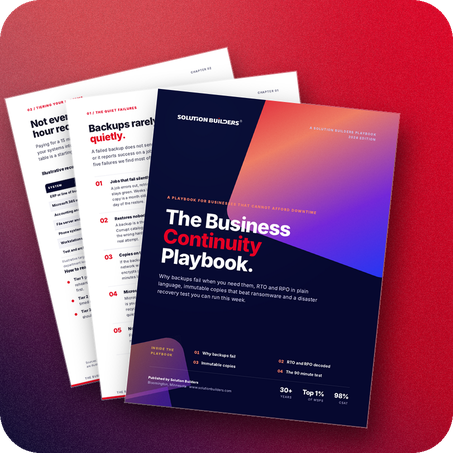
A real Microsoft 365 backup covers Exchange, OneDrive, SharePoint, Teams and the Entra ID configuration that ties them together, runs about three times a day, and lives in a separate cloud under separate credentials, immutable. Ask any vendor, including us, how long a full site restore takes and whether permissions come back with the files. How to prove the restore works is the subject of our business continuity playbook.
SharePoint and Teams that still make sense in year five
Teams and SharePoint do not get messy. They start messy and never get the structure that would have fixed them. A tenant with 400 orphaned teams and a search box nobody trusts is not a user problem. It is a design that was never done. The Microsoft Work Trend Index 2023 found knowledge workers spend 57% of their day communicating in meetings, email and chat. Structure is how you get some of that time back, and it is six decisions made once.
- Flat, not nested. One site per team or function, joined to a hub for navigation. Subsites are where files go to disappear.
- Decide who can create teams: a small group or a request form. Open creation is how you end up with four Marketing teams.
- Pick a naming convention people can guess, department then purpose: FIN Budgeting, HR Onboarding, ACME Rebrand.
- Private by default. Private for work, public for reference, decided once so nobody has to think about it.
- Decisions and files go in a channel, not a private chat. Chat is for coordination, not records.
- Two owners, an expiration date and an annual one click review for every team, so dead teams retire themselves.
Where does this document go?
Pick any new document and ask a new hire where it should live. If the answer takes more than five seconds, the structure is wrong, not the hire. Four sensitivity labels, Public, General, Confidential and Highly Confidential, carry the rules with the file so nobody has to remember them.
Guests join by invitation, expire after 90 days unless an owner renews them, and are blocked from Confidential and above by the label rather than by memory. This is also the groundwork for AI. A tenant with clean permissions and labels is exactly what Microsoft Copilot needs in order to be safe, which is why our Copilot readiness playbook starts with permissions, not licenses.
What to do this week
Three moves, in order. The first two cost nothing but an hour.
- Run the one hour auditSit down with whoever holds the global admin password and work through the settings table. Change what you can on the spot and write down what needs a conversation.
- Check your backup against the coverage listExchange, OneDrive, SharePoint, Teams and Entra ID, stored outside your tenant. If any of those is missing, or nobody can say when a site was last restored, that is your next project.
- Get an outside readA Tenant Health Check with Solution Builders is a free 30 minute review of your tenant against the same table, with a written list of what to change first. Book a time or call (952) 854 8188.
If you are migrating, do not let anyone open a console until the inventory is signed. If you are already live, the audit is the migration you never finished. Either way, Office 365 support in the Twin Cities should mean someone who can show you the settings, not just reset passwords.
Microsoft 365 for growing companies across the Twin Cities
Solution Builders has run Microsoft environments for Minnesota businesses from Bloomington since 1995. Our 50+ engineers migrate, harden, back up and support Microsoft 365 as one practice for companies with 25 to 500 people in Minneapolis, St. Paul and across the metro, from manufacturers on the I-494 corridor to firms downtown. Related services: Microsoft 365, Cybersecurity, Microsoft Copilot, Data Backup and Disaster Recovery. Contact us or book a 30 minute call.