Solution Builders team

Jump to a section
- Week 1 is discovery with a named Client Relationship Manager. Weeks 2 to 4 are onboarding: documentation, monitoring, backups, security baseline, help desk live.
- Day 45 brings a technology roadmap mapped to RISE. Day 90 brings the first quarterly business review with the numbers.
- Expect a 90% average reduction in IT downtime, a 5 minute average ticket response and 98% satisfaction scored on every ticket.
- Eight questions separate a partner from a vendor, and a good provider will answer every one of them in writing, including us.
Why switching IT providers in Minneapolis feels riskier than staying
Most companies stay with an IT provider about two years longer than they should. Not because the service is good, but because switching IT providers in Minneapolis feels like changing the engine while the car is moving. Someone else holds the admin passwords. The documentation, if it exists, is in their system. And nobody wants to be the person who signed off on the week the email broke.
The signs are usually obvious in hindsight. See how many of these sound familiar.
- Tickets take days. Your people have started fixing things themselves, or just living with them.
- Nobody has seen a report. You could not say what your uptime was last quarter, and neither could they.
- Projects are always next quarter. The Microsoft 365 cleanup, the server refresh, the security assessment the auditor wants.
- Backups are assumed, not tested. Ask when the last full restore happened and watch the subject change.
- The contract renews itself. Three year terms with auto renewal are a sign the provider plans to keep you by paperwork, not performance.
The real risk is staying
A 2026 WalkMe study found workers lose 7.9 hours a week to technology friction. For a company with 25 to 500 employees, that is a payroll line, every week, paid to the status quo. A well run switch costs you a few meetings and a quiet week. Not switching costs you every week.
The managed IT onboarding 90 day plan, week by week
Every Solution Builders engagement starts the same way, so you always know what happens next. The plan below is the managed IT onboarding 90 day plan we run for every new client, whether that is a 30 person firm in St. Paul or a 300 person manufacturer with a plant in Greater Minnesota.
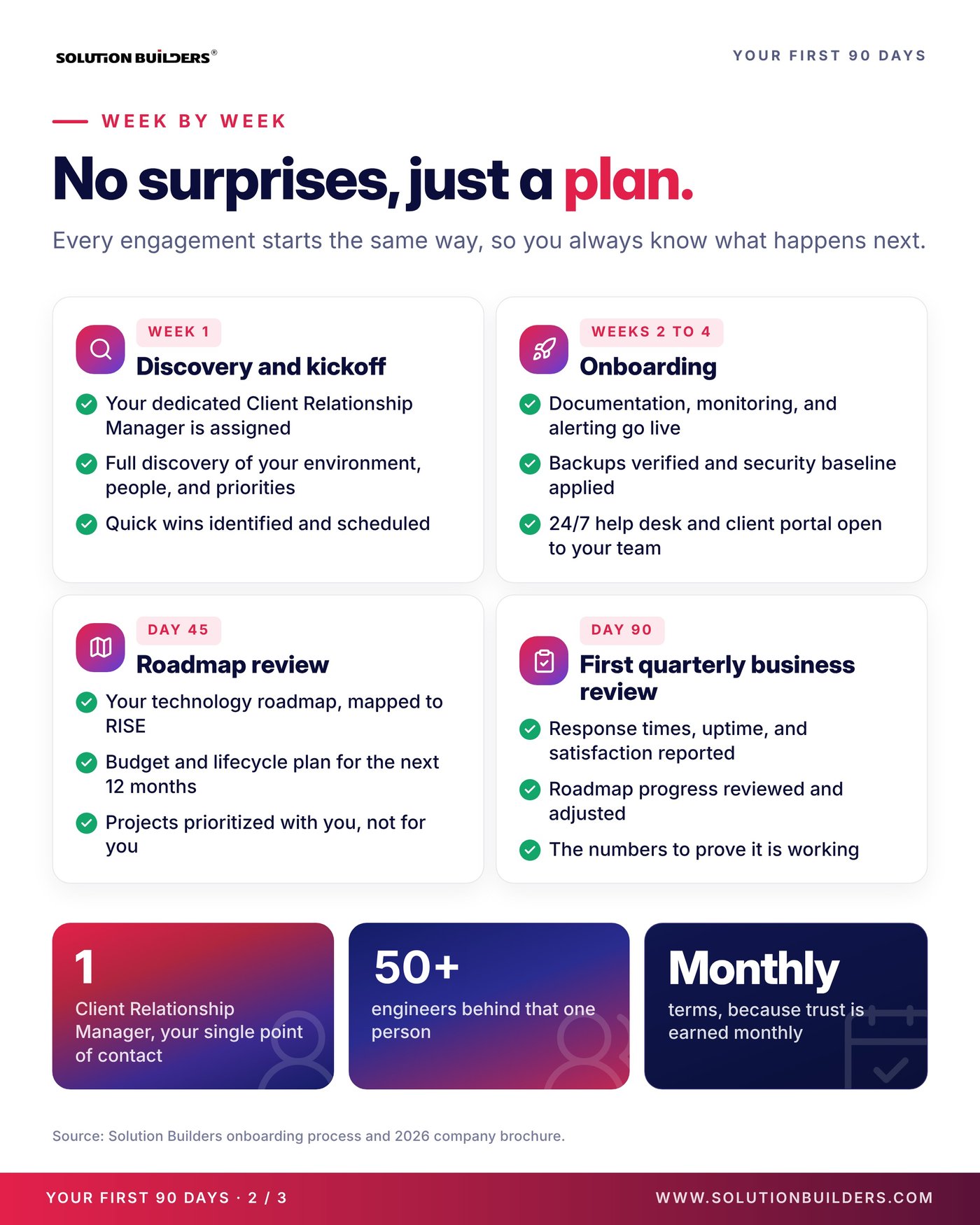
- Week 1: discovery and kickoffYour dedicated Client Relationship Manager is assigned. We run a full discovery of your environment, your people and your priorities, and identify the quick wins that can be scheduled immediately.
- Weeks 2 to 4: onboardingDocumentation, monitoring and alerting go live. Backups are verified and the security baseline is applied. The 24/7 help desk and client portal open to your whole team.
- Day 45: roadmap reviewYour technology roadmap, mapped to RISE and your business goals, with a budget and lifecycle plan for the next 12 months. Projects are prioritized with you, not for you.
- Day 90: first quarterly business reviewResponse times, uptime and satisfaction reported. Roadmap progress reviewed and adjusted. The numbers to prove it is working.
Two structural details make the plan hold. You get one named person, your Client Relationship Manager, as a single point of contact, and 50+ engineers behind that one person. And the terms are month to month, because trust is earned monthly, which is also why the first 90 days have to deliver visible results rather than promises. Our process page walks through each phase in more detail, including what we need from you in week one.
What to expect from a new MSP by day 90
The question behind "what to expect from a new MSP" is really "how will I know it worked?" You should be able to answer with numbers by the first quarterly review. These are the averages across Solution Builders clients.
The provider you are leaving
- Tickets answered in days, by whoever is free
- Backups assumed, security a line item
- No roadmap, no report, no budget plan
- Multi year contract with auto renewal
Managed IT Support from Solution Builders
- 5 minute average response, one named contact
- Backups verified, security baseline applied in week 2
- A 12 month roadmap mapped to RISE
- Month to month terms and a quarterly review
The security baseline and verified backups in weeks 2 to 4 are not optional extras. They are the same cybersecurity stack and backup and disaster recovery setup every client gets, because an unpatched laptop or an untested backup is where the next bad day starts. One 85 user manufacturer in the metro eliminated more than 100 hours of monthly downtime and cut support tickets 60% inside its first 90 days. If you have an internal IT team, the same 90 day plan runs as Co-Managed IT, with your people keeping strategy and the final say.
Eight questions to ask an IT provider before you sign
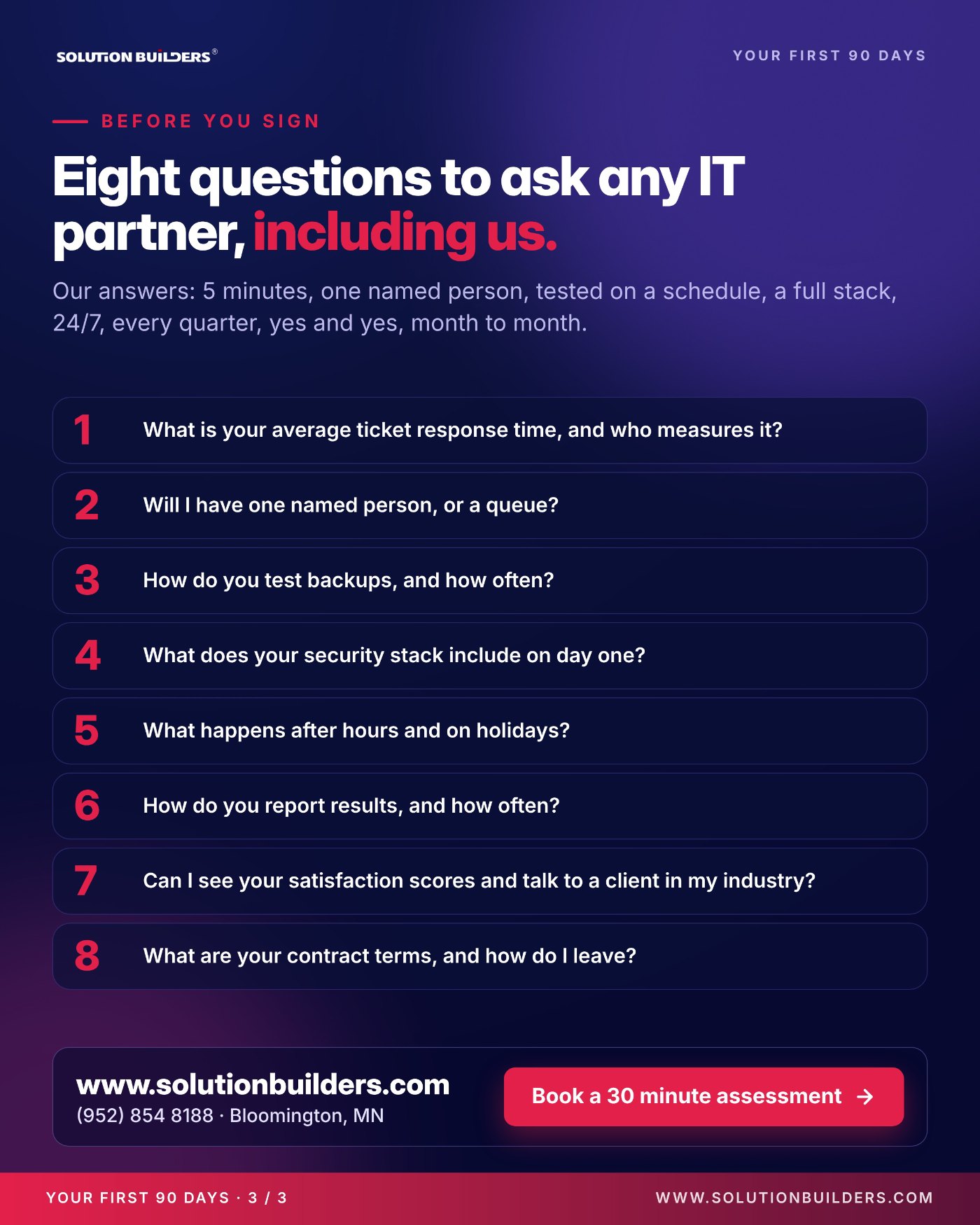
The questions to ask an IT provider before you sign are the same ones you should ask us. A real partner will have crisp answers and documents to back them up. A vendor will change the subject.
- What is your average ticket response time, and who measures it?
- Will I have one named person, or a queue?
- How do you test backups, and how often?
- What does your security stack include on day one?
- What happens after hours and on holidays?
- How do you report results, and how often?
- Can I see your satisfaction scores and talk to a client in my industry?
- What are your contract terms, and how do I leave?
Our answers, in order: 5 minutes, one named person, tested on a schedule, a full stack from day one, 24/7 coverage, every quarter, yes and yes, month to month. Ask any IT provider in the Twin Cities for the same list in writing. The ones who hesitate on the last question are telling you how the relationship will end.
How to switch without losing a day
A clean switch is mostly preparation you can do before anyone signs anything. Five steps, in order.
- Read the current contract this weekFind the notice period and the renewal date. Many agreements renew automatically, so the calendar decides your timing more than anything else.
- Collect what you ownAdmin credentials, domain registrar and DNS logins, Microsoft 365 global admin, license keys, warranty records and whatever documentation exists. It is your property, and a good outgoing provider hands it over without drama.
- Pick a quiet weekNot month end, not the week of the trade show, not the first week of January when everyone is back and the ice storms start.
- Tell your team what changesThe new help desk number and portal, the name of their Client Relationship Manager, and the fact that they can now log the small stuff too.
- Overlap if you canTwo weeks of both providers in place lets discovery finish before the old access is turned off, which is how week one stays boring.
Monthly terms, because trust is earned monthly.Your First 90 Days, Solution Builders
Solution Builders has run this switch for Minnesota businesses from Bloomington, next door to the Mall of America, since 1995. Bring us the contract and the question list, and we will tell you in 30 minutes what your first 90 days would look like.
Switching to a Twin Cities IT provider that answers the phone
Solution Builders has onboarded Minnesota businesses from Bloomington since 1995, and the first 90 days run the same way for a 25 person firm in St. Paul as for a 500 person manufacturer along the I-494 corridor. One named contact, 50+ engineers, a 24/7 help desk and security operations center, and month to month terms. Related services: Cybersecurity, Data Backup and Disaster Recovery, Co-Managed IT. Contact us or book a 30 minute call.