Solution Builders team
Jump to a section
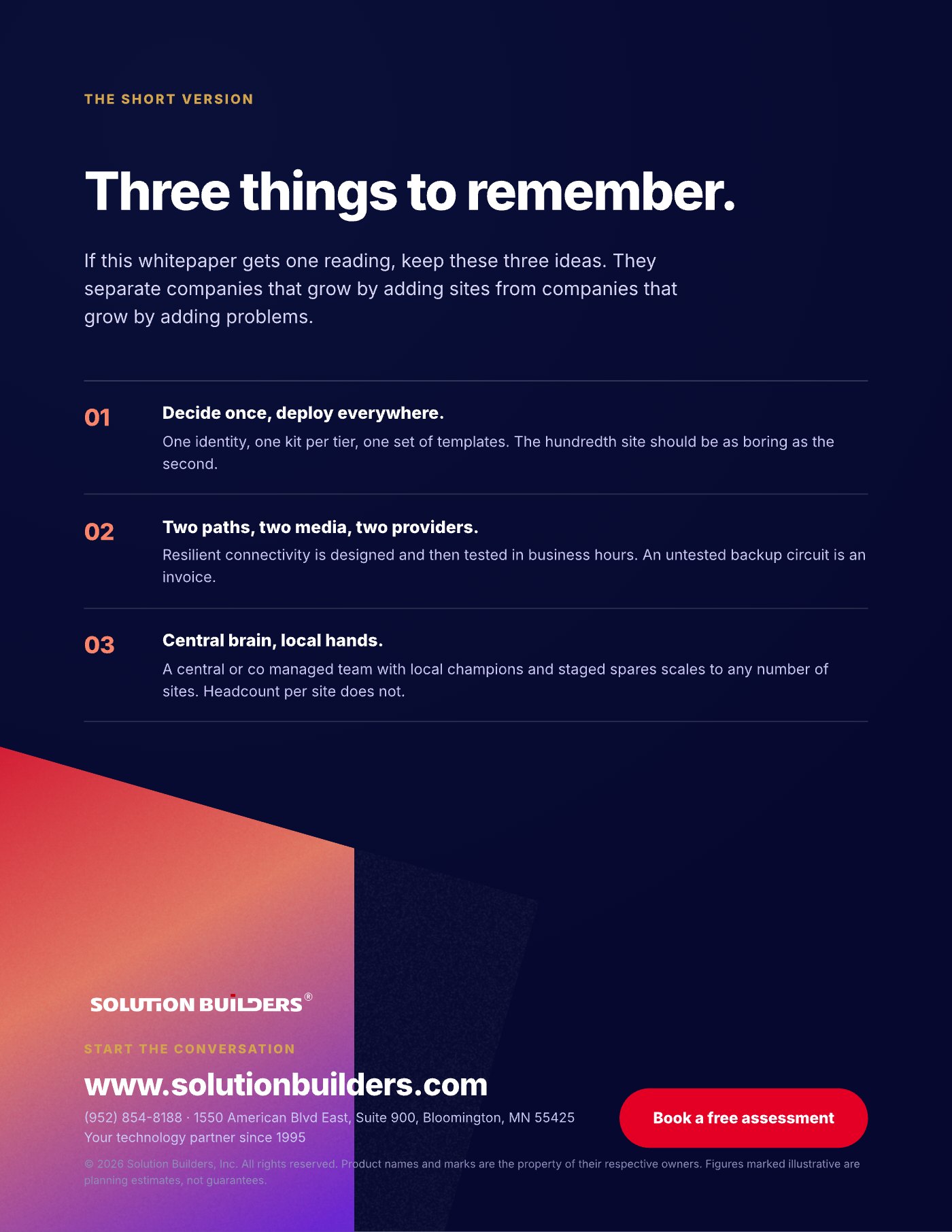
- Decide once, deploy everywhere. One identity directory, one kit per tier and one set of templates make the hundredth site as boring as the second.
- Every site gets two paths, two media, two providers. SD-WAN turns cheap circuits into a fabric with sub second failover, tested in business hours.
- Central brain, local hands. A central or co-managed team with trained local champions and staged spares scales to any site count. Headcount does not.
- Roughly 80% of multi-site tickets trace to inconsistency between sites, so standardization is the cheapest support investment you can make.
Why multi-location IT support in Minnesota breaks at site two
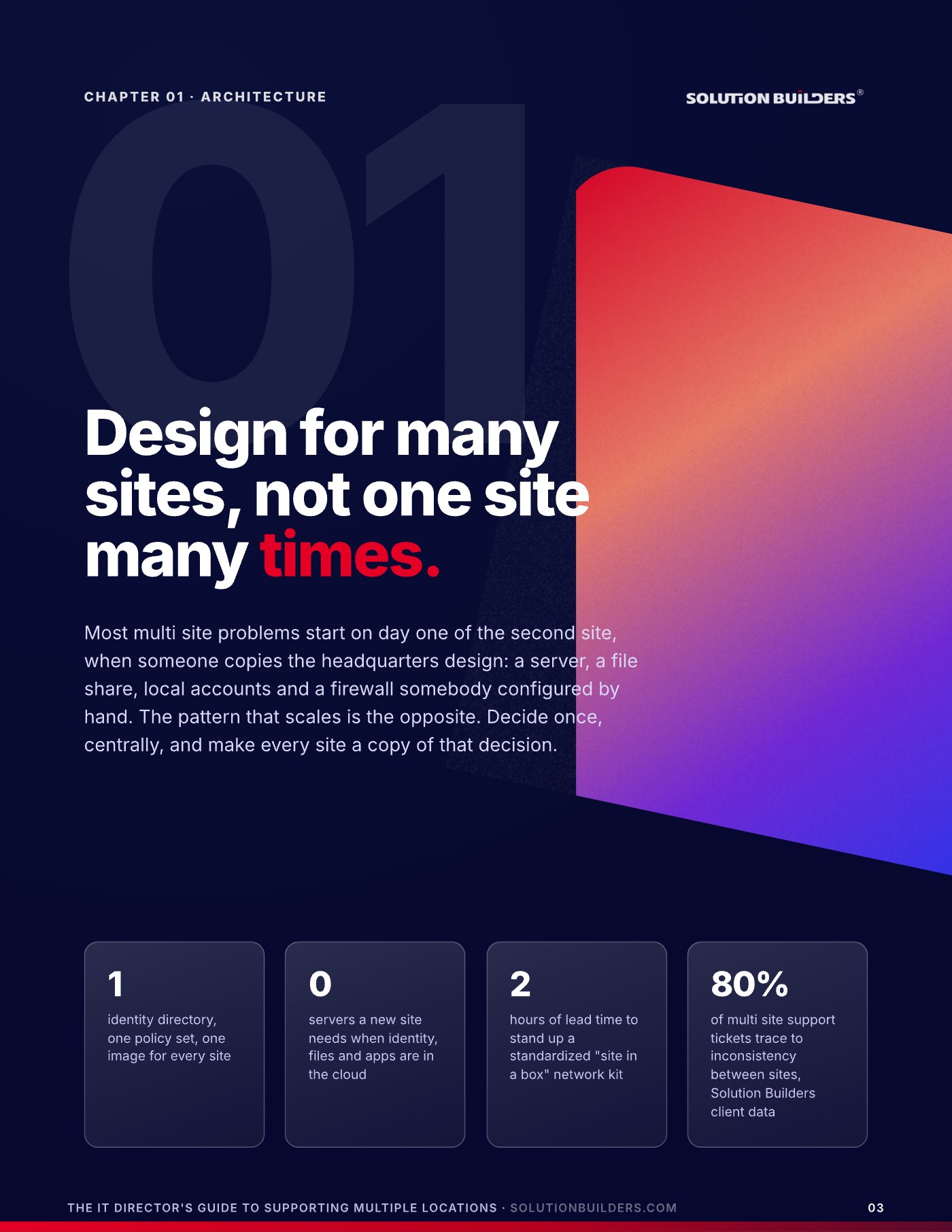
Most multi-site problems start on day one of the second site, when someone copies the headquarters design: a server, a file share, local accounts and a firewall configured by hand. Then the file shares drift apart, the engineer who built site two leaves, and every new location adds a closet, a drive down I-94 and a different answer to "how do we do that here." Multi-location IT support in Minnesota is full of this pattern, from a firm with offices in St. Paul and Rochester to a manufacturer with a Bloomington headquarters and a plant up north.
The pattern that scales is the opposite: decide once, centrally, and make every site a copy of that decision. Three decisions do almost all of the work: how you build sites, how you connect them and how you support them.
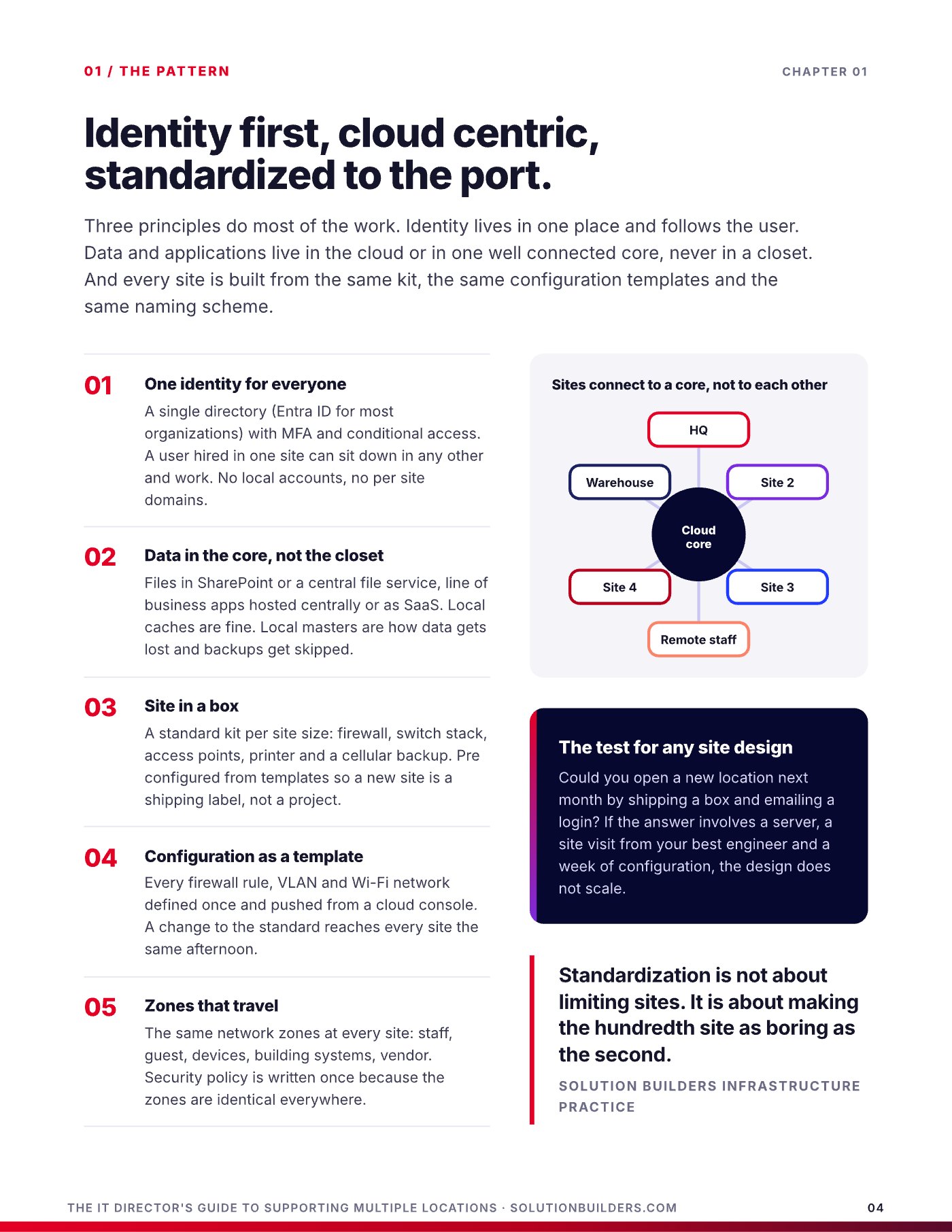
The test for any site design: could you open a location next month by shipping a box and emailing a login? If the answer involves a server, a site visit and a week of configuration, every site you add will cost more than the last.
Decide once, deploy everywhere: the pattern that scales
Identity lives in one place and follows the user. Data and applications live in the cloud or in one well connected core, never in a closet. Every site is built from the same kit and templates, and sites connect to a core, not to each other.
- One identity for everyoneA single directory, Entra ID for most organizations, with multifactor authentication and conditional access. No local accounts, no per site domains.
- Data in the core, not the closetFiles in SharePoint or a central file service, apps hosted centrally or as SaaS. Local caches are fine. Local masters are how data gets lost.
- Site in a boxA standard kit per site size: firewall, switch stack, access points, printer and cellular backup, preconfigured so a new site is a shipping label, not a project.
- Configuration as a templateEvery firewall rule, VLAN and Wi-Fi network defined once and pushed from a cloud console, so a change reaches every site the same afternoon.
- Zones that travelThe same network zones at every site: staff, guest, devices, building systems, vendor. Security policy is written once.
For companies still running a server at each office, a cloud migration and a clean Microsoft 365 setup are what make site three possible. A 60 user architecture firm we work with retired eleven servers across three offices and cut infrastructure cost 38%.
Branch office IT standardization: three tiers, three kits, one standard
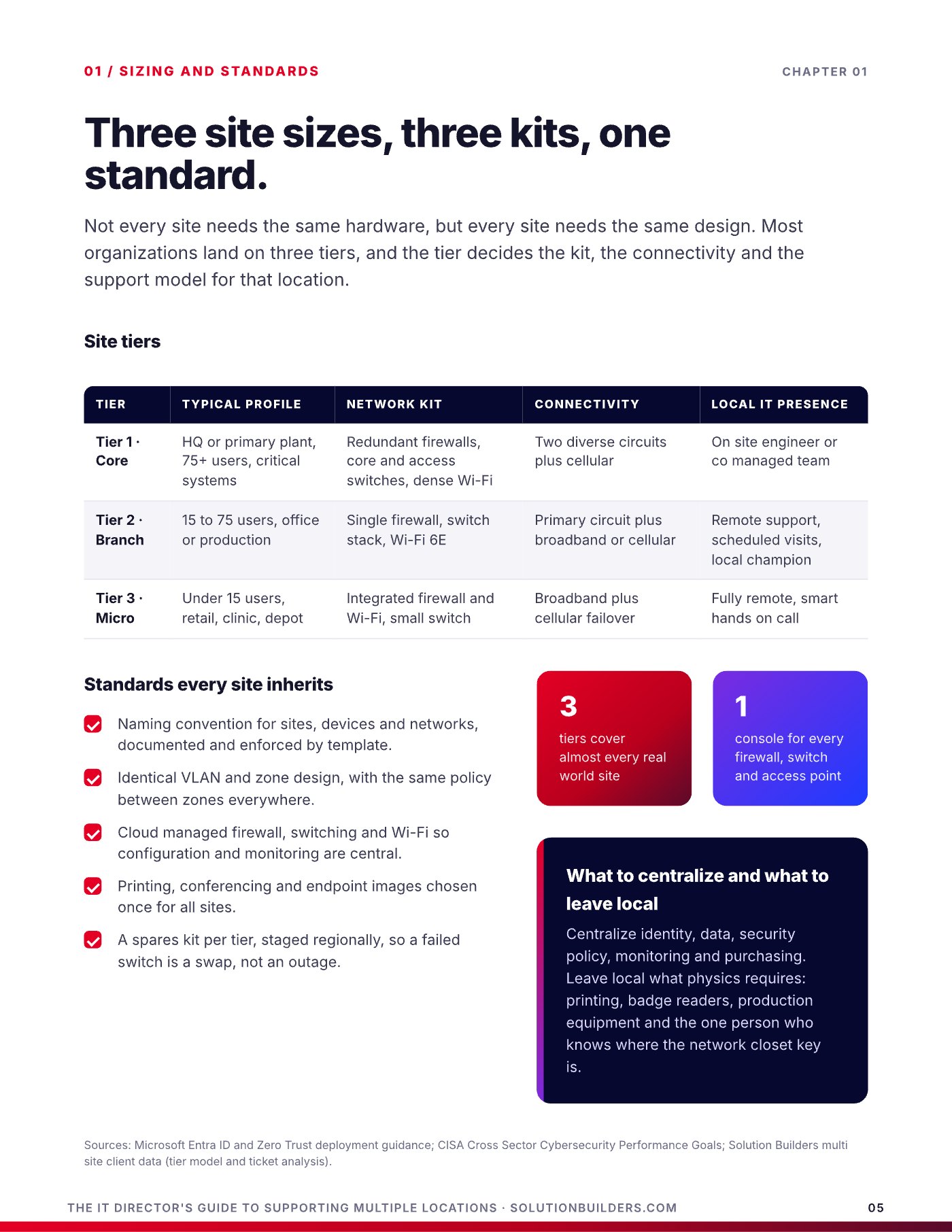
Not every site needs the same hardware, but every site needs the same design. Most organizations land on three tiers, and the tier decides the kit, the connectivity and the support model. A 90 person headquarters in the North Loop and a six person depot in Mankato should look like siblings, not strangers.
| Tier | Typical profile | Kit and connectivity | Local IT presence |
|---|---|---|---|
| Tier 1, core | HQ or primary plant, 75+ users | Redundant firewalls, core and access switches, two diverse circuits plus cellular | On site engineer or co-managed team |
| Tier 2, branch | 15 to 75 users, office or production | Single firewall, switch stack, Wi-Fi 6E, primary circuit plus broadband or cellular | Remote support, scheduled visits, local champion |
| Tier 3, micro | Under 15 users, retail, clinic, depot | Integrated firewall and Wi-Fi, small switch, broadband plus cellular failover | Fully remote, smart hands on call |
Centralize identity, data, security policy, monitoring and purchasing. Leave local what physics requires: printing, badge readers and production equipment. Every site then inherits the same standards.
- A naming convention for sites, devices and networks, enforced by template.
- Identical VLAN and zone design, with the same policy everywhere.
- Cloud managed firewall, switching and Wi-Fi, so monitoring is central.
- A spares kit per tier, staged regionally, so a failed switch is a swap, not an outage.
SD-WAN for multi-site businesses: one fabric over any circuit
Connectivity used to mean a private circuit from every site back to headquarters, because that is where the servers were. Now the servers are in the cloud, the users are everywhere and headquarters is just another site.
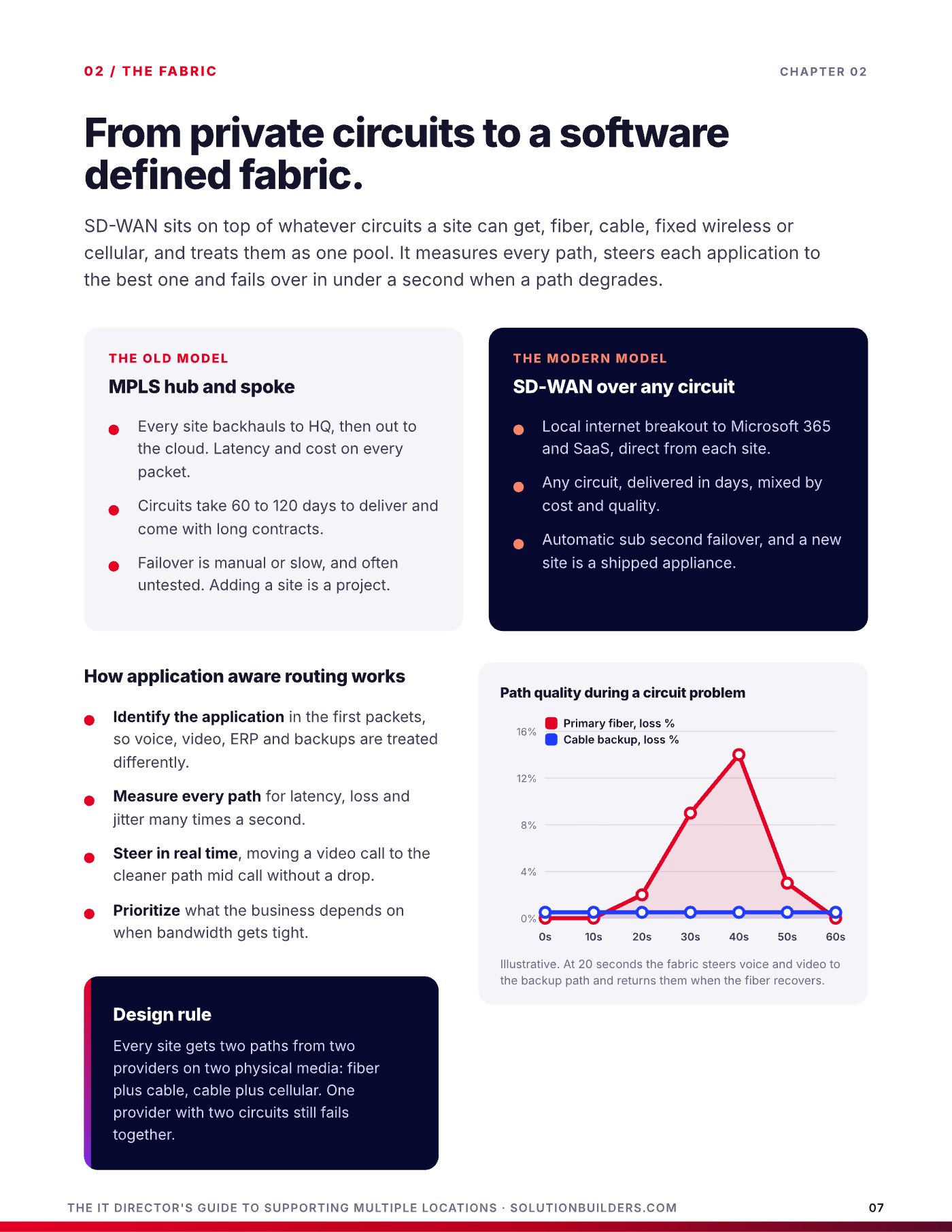
MPLS hub and spoke
- Every site backhauls to HQ, then out to the cloud
- Circuits take 60 to 120 days and long contracts
- Failover is manual, slow and often untested
- Adding a site is a project
SD-WAN over any circuit
- Local breakout to Microsoft 365 and SaaS from each site
- Any circuit, delivered in days, mixed by cost and quality
- Automatic sub second failover between paths
- A new site is a shipped appliance
SD-WAN sits on top of whatever circuits a site can get and treats them as one pool. It identifies each application, measures every path for latency, loss and jitter, steers a video call to the cleaner path mid call, and prioritizes what the business depends on when bandwidth gets tight.
In Solution Builders client engagements, replacing MPLS with SD-WAN over broadband typically lands in a 30 to 50% WAN cost reduction as a planning range, and Microsoft 365 gets faster because traffic no longer detours through headquarters. Our SD-WAN service is built for this, and The Modern Network Playbook goes deeper.
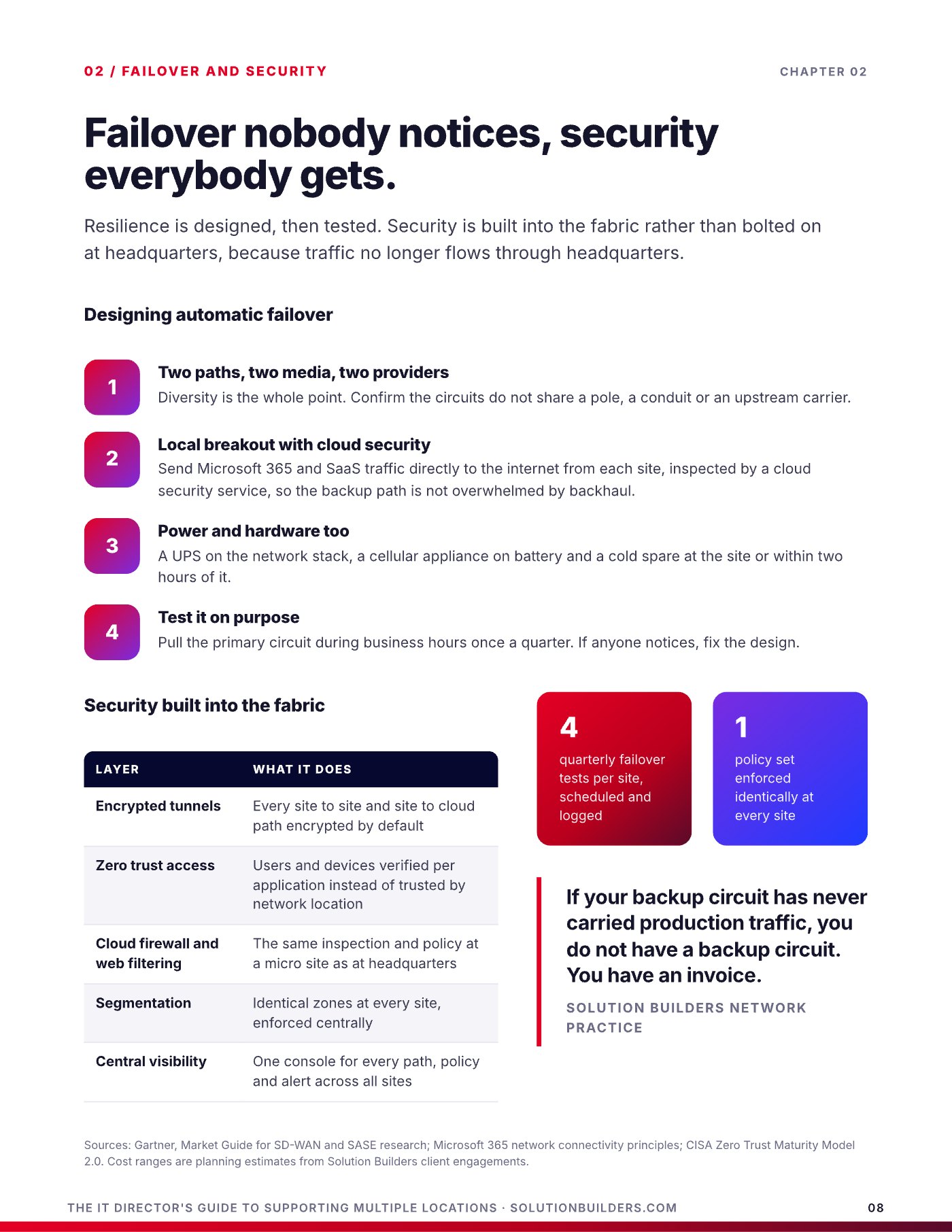
Failover nobody notices, security everybody gets
Resilience is designed, then tested. A Minnesota ice storm that takes out one provider's fiber along a county road should be a log entry, not an outage.
- Two paths, two media, two providersConfirm the circuits do not share a pole, a conduit or an upstream carrier. One provider with two circuits still fails together.
- Local breakout with cloud securitySend Microsoft 365 and SaaS traffic straight to the internet from each site, inspected by a cloud security service.
- Power and hardware tooA UPS on the network stack, a cellular appliance on battery and a cold spare within two hours.
- Test it on purposePull the primary circuit during business hours once a quarter. If anyone notices, fix the design.
Security travels with the fabric: encrypted tunnels on every path, zero trust access that verifies users and devices per application, and cloud firewall and web filtering so a micro site gets the same inspection as HQ. CISA's Zero Trust Maturity Model describes the destination. The fabric is how a company with 25 to 500 employees gets there without a security engineer in every building.
If your backup circuit has never carried production traffic, you do not have a backup circuit. You have an invoice.Solution Builders Network Practice
IT support for multiple offices: central brain, local hands
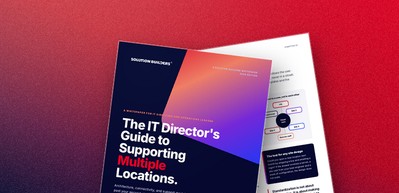
The question every IT director asks at site five is the same: do I hire someone for each location? Almost always, no. The sites need a model, not a headcount: a central team that owns the help desk, engineering, security and projects, a trained local champion at each site for the physical world, and a smart hands partner for anything heavier.
| Model | How it works | Strengths | Breaks when |
|---|---|---|---|
| Generalist per site | One IT person at each location | Fast on site response | Sites exceed five, skills vary, nights uncovered |
| Central team plus travel | HQ team covers all sites, drives or flies | Consistent standards | Travel eats the week, remote sites wait days |
| Central brain, local hands | Central or co-managed team, local champions, smart hands partner | Any site count, 24/7 coverage, every specialty | Standards not enforced or tooling weak |
The local champion is an office manager with two hours of training and a laminated card: reseat a cable, read a light, swap a staged spare while the central team drives the fix. In the multi-site environments Solution Builders supports, about 92% of tickets close without a technician dispatched.
Keep the strategy, hand off the travel
Many IT directors keep strategy, applications and the core sites in house and bring in a partner for the help desk, 24/7 security and the long tail of branch support. The internal team stays in control and stops being the travel department. That is the Co-Managed IT model most of our Twin Cities clients use.
Score your sites before the next lease is signed
Twelve questions across the three decisions. Score each from 0 (not started) to 2 (done and documented). A score of 0 to 8 means each new site adds risk: start with identity and connectivity. A 9 to 16 is workable today and fragile at scale: standardize the kit and the support model. A 17 or better means the next site is a shipping label and a login.
Architecture
- One identity directory with MFA for every site and user.
- No site holds the master copy of business data.
- A documented kit and template per site tier.
- Identical network zones and naming at every site.
Connectivity
- Two paths, two media, two providers at every site.
- Local internet breakout with cloud security inspection.
- Failover tested in business hours this quarter.
- One console shows every site, path and alert.
Support
- One help desk, one ticket system, one knowledge base.
- A trained local champion and staged spares per site.
- 24/7 security monitoring covering every site.
- An on site response target per tier, met and measured.
- Score it with your leadership teamAgree on the number before the next lease is signed. The cheapest time to fix a multi-site design is before the site exists.
- Pick the first standardIdentity is almost always the right first move: one directory, MFA everywhere, no local accounts.
- Get an outside readA free 30 minute Multi-Site Readiness Snapshot with a Solution Builders architect covers your sites, your growth plan and where the model will break.
Solution Builders has supported multi-location businesses across Minnesota since 1995, from two office firms in Minneapolis and St. Paul to manufacturers with plants in several states, with 50+ engineers and a 24/7 security operations center behind one help desk, all run on the RISE framework: resilient, integrated, secure and evolving.
Multi-location IT support across Minnesota and beyond
Solution Builders runs multi-site environments from Bloomington for companies with 25 to 500 employees: firms with offices in Minneapolis and St. Paul, manufacturers with a metro headquarters and a plant in Greater Minnesota, and businesses with locations in several states. One help desk, one standard, 50+ engineers and a 24/7 security operations center behind every site. Related services: SD-WAN, Cloud Migration, Microsoft 365, Co-Managed IT. Contact us or book a 30 minute call.